Company:
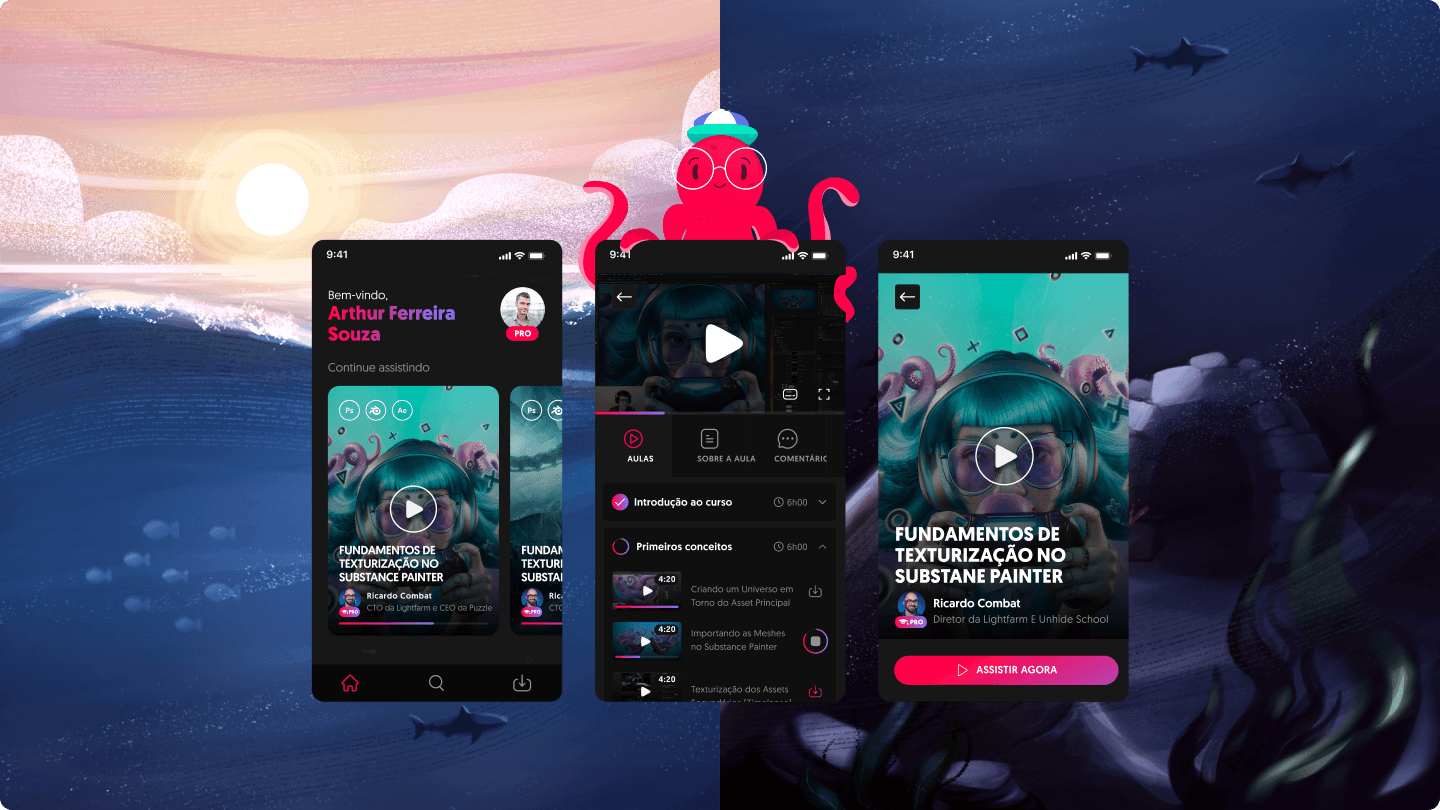
Unhide School is a platform created by artists, for artists. It was conceived by LightFarm Studios, which identified a market opportunity to share its expertise through courses and to build and nurture a strong community of artists. Puzzl Software House, also founded by LightFarm, was the company responsible for bringing the platform to life. When I joined Puzzl, one of my biggest challenges was leading the Unhide School app project, where I worked as a product designer and illustrator.
Goals
To be the first app developed under the Puzzl brand and, through it, demonstrate our delivery capabilities to win new projects.
Encourage subscribed students to progress in their studies through an app focused on course consumption.
Improve usability compared to the web platform experience by addressing small, previously identified issues.
My role
Research and design of the entire app experience
Handoff to engineering
App illustrations
🔍 Benchmark:
During this phase, I looked at apps from companies that offer services similar to Unhide, as well as streaming platforms like Netflix and Amazon Prime, because our goal was to create an experience that maximized student engagement—making them more eager to watch a course and turning the experience into something as enjoyable as choosing a movie.
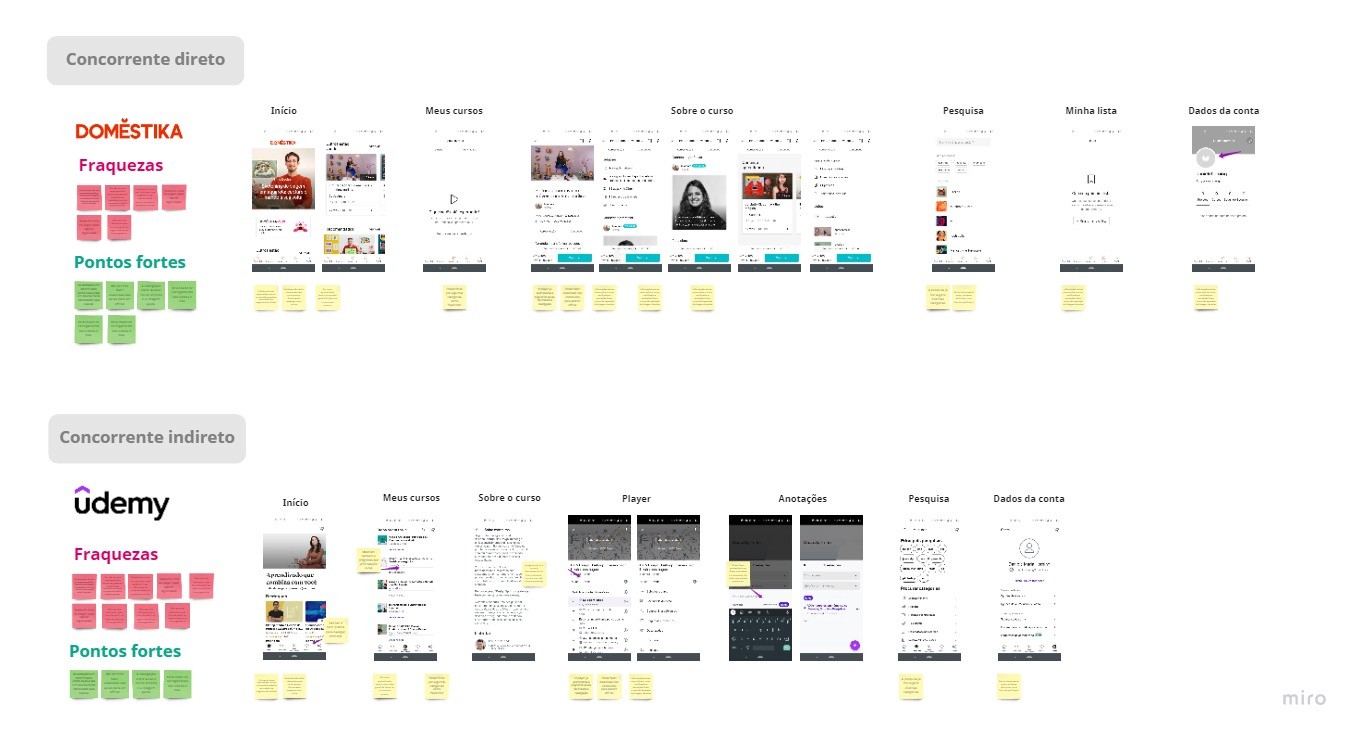
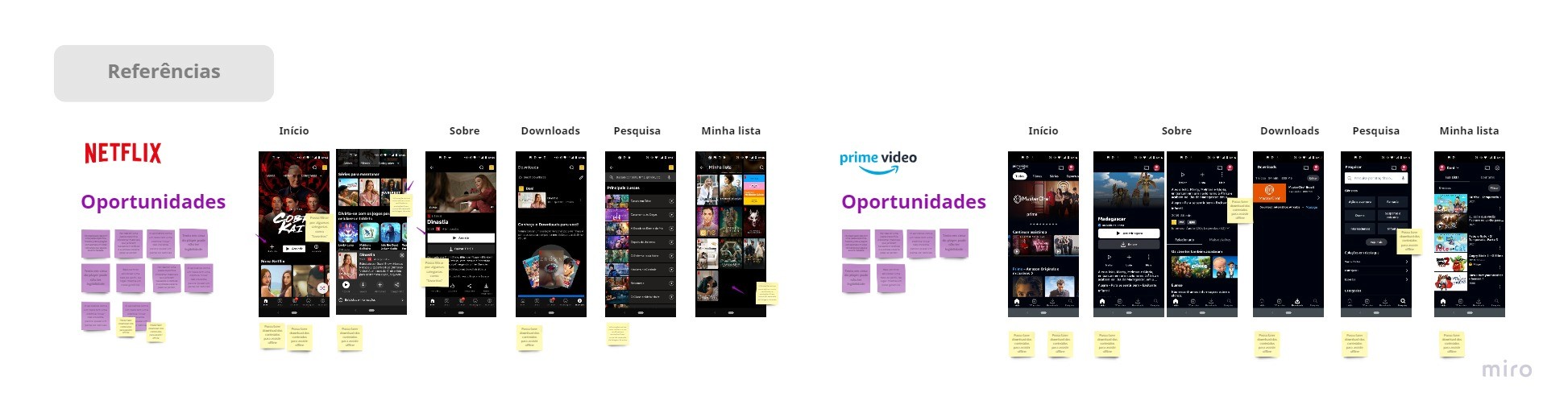
User Journey Map and Platform Analysis
To better understand the opportunities to explore in the app, I created a high-level user journey map of the platform experience, mapping user emotions as well as areas for improvement.
With this exercise, I mapped the first improvement opportunities for the content consumption area:
There were too many distractions on the way to the player, with small information, low contrast, and difficult-to-read text.
A long “about the course” page that made it harder to access lessons by listing them only at the bottom of the page.
It didn’t prioritize resuming a course that had already been started, since the “My courses” area was hidden inside the user profile on the platform.
Ideation
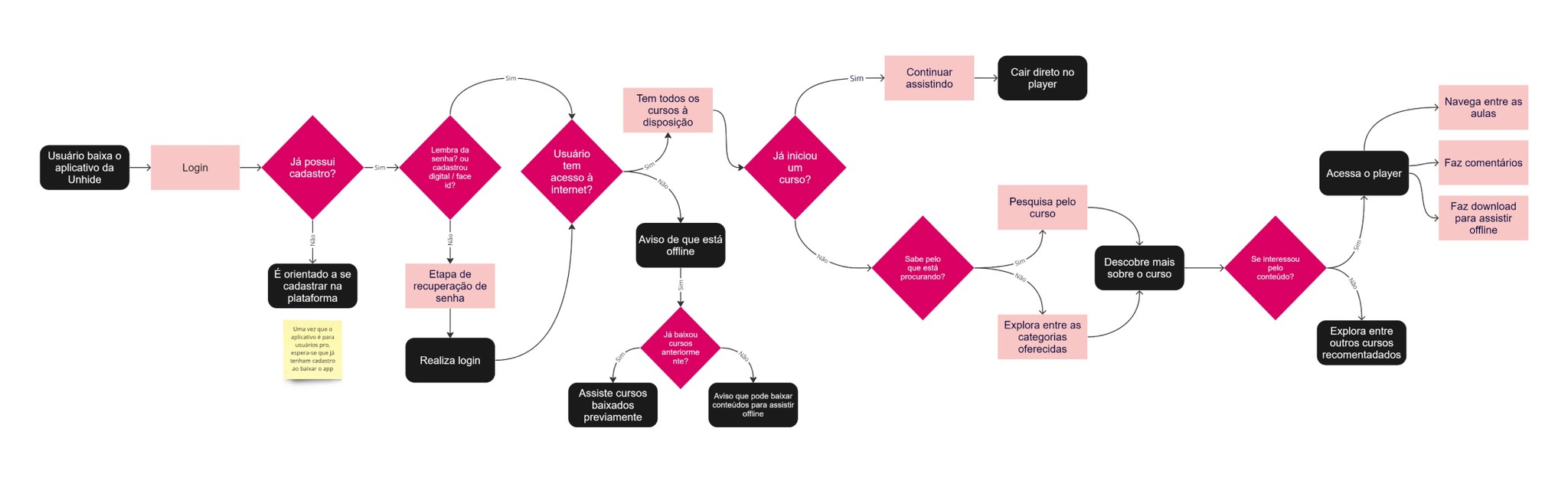
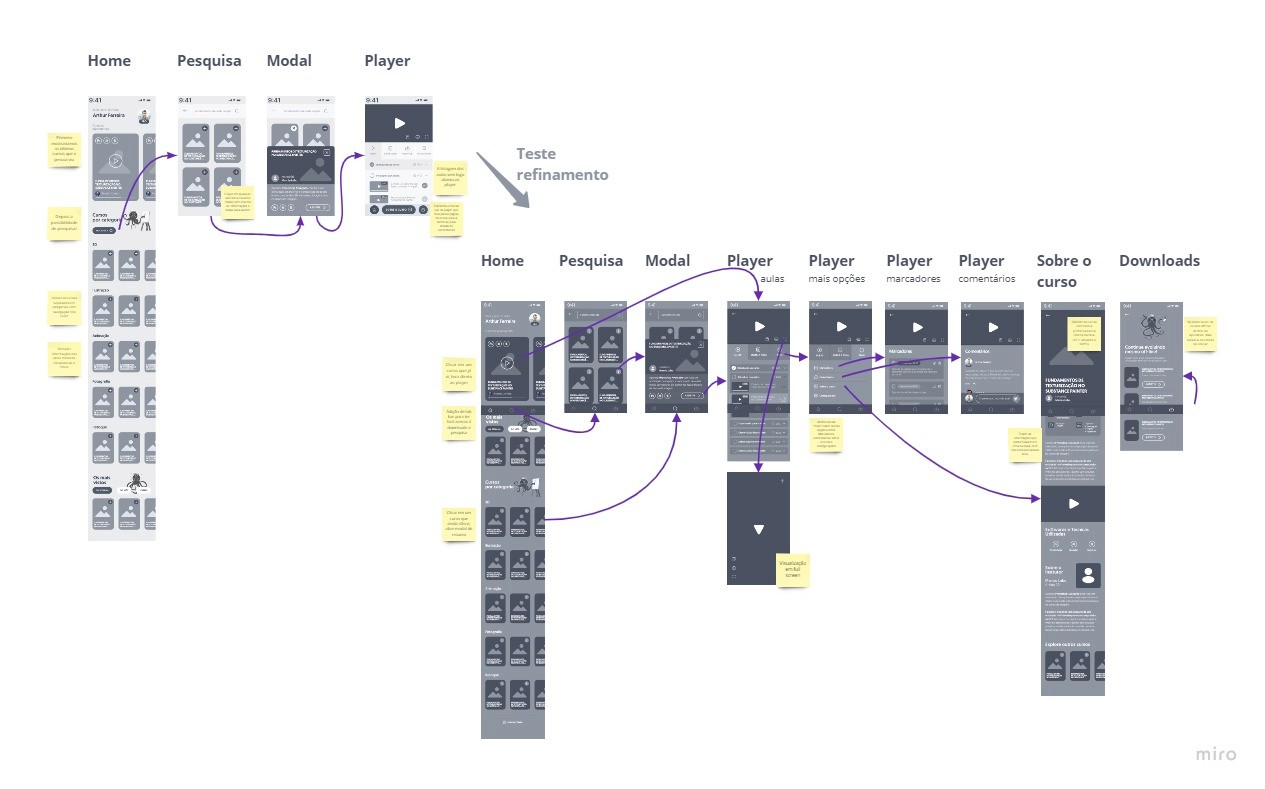
At this stage, the app interface started to take shape. I first designed the user flow and then the wireframes, a process that allowed me to test different approaches with stakeholders, refining the app’s navigation until reaching the final prototype.
Interactive Login
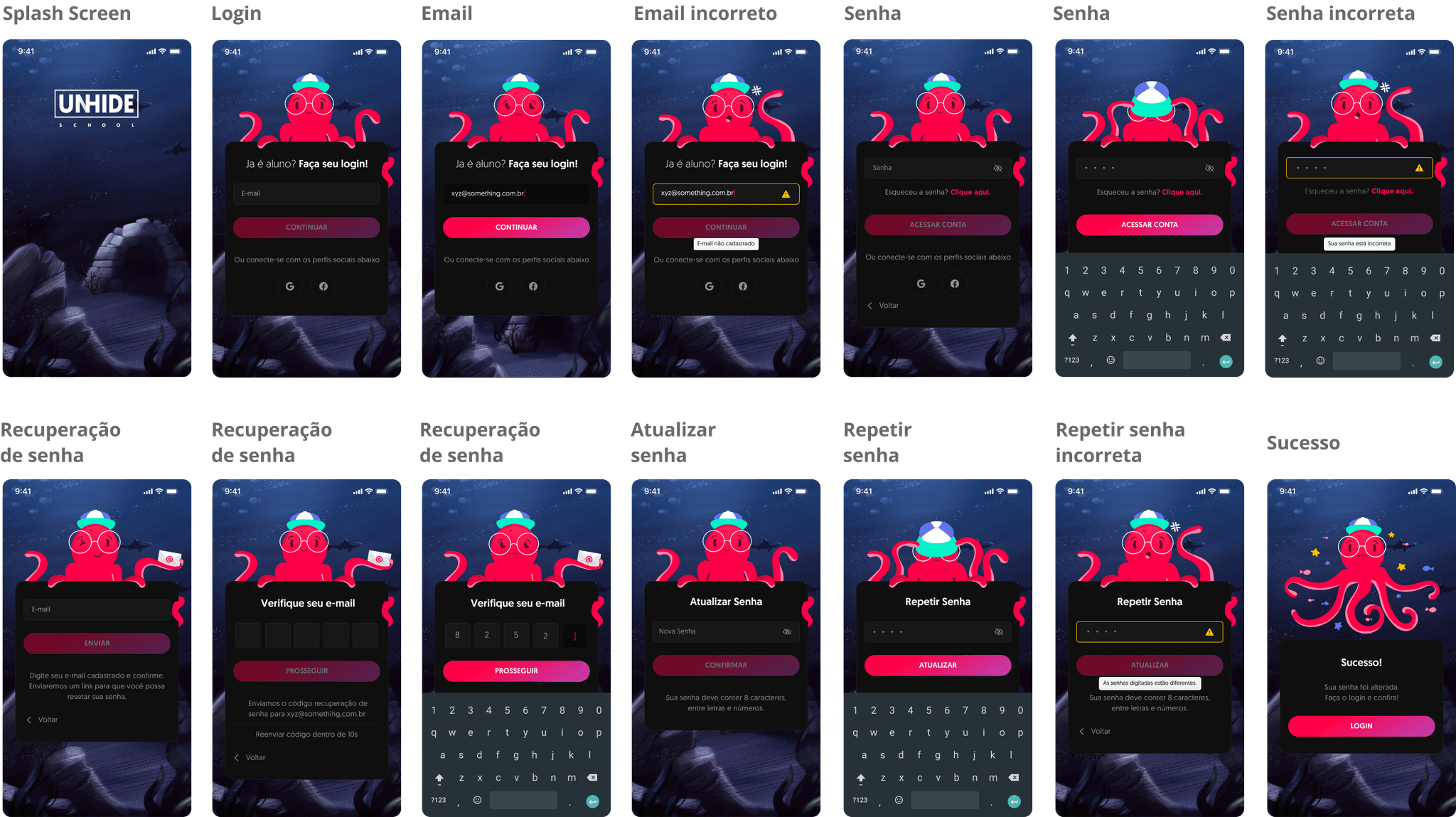
The more playful side of the project came through in the Splash Screen and Login screens, where we wanted to bring Unhide’s character, Otto the octopus, into his natural habitat. The background, created as a digital painting, depicts the ocean floor—his home. In addition, vector variations of Otto were designed so he could react to login actions, such as covering his eyes when the user was typing their password.
✨ Learnings
Good craft matters: Apply design principles, apply patters that are already known, create consistency, that what's make a product lovable.
Do more than what is predictable: The app didn't needed an interactive login to work properly, but commit in doing that was what make an "just another app" shine.
© Daniele Maria Horning • 2025
in/danielehorning